
I am by no means a Python expert. Yet :)
But like many others, I'm learning. Taking it one day at a time. I'm starting all the way from fundamentals, so much that I spent most of January just learning basic syntax and structure. And I've studied programming before. But I knew I needed to do this.
So, with that being said, I'd like to cover a few of the syntax fundamentals for other coding newbies, and hopefully you can gain something from this article/post/whatever you want to call it.
Without further ado.....
Data Types
It's important to understand data types first - this is an important concept! This will be important later for variables, which can store different data types. Take a gander at the built-in Python data types below:
Text Type: str
Numeric Types: int, float, complex
Sequence Types: list, tuple, range
Mapping Type: dict
Set Types: set, frozenset
Boolean Type: bool
Binary Types: bytes, bytearray, memoryview
You don't really need to know all of these right away, but its best to start getting them memorized because as these topics become more advanced, it's best to know what kind of data types you're working with, especially if you need to (and you will) - convert them.
print() function
In order to put something on the screen, you'll need to use the print() function; see my glorious example below:
print("Welcome to the Pythonverse") # double quotes
print('Welcome to the Pythonverse') # single quotes
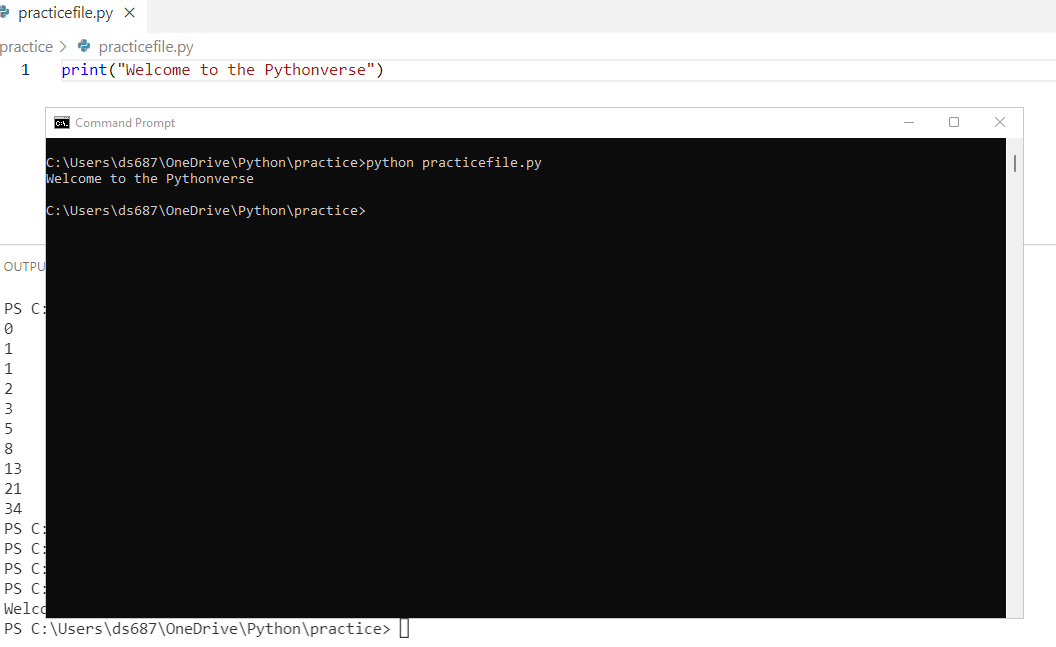
As you can see here, I am printing a string, which is basically anything you put in between the double OR single quotes.
*Hint - try to stick to one of the quotes, otherwise it can make things confusing later.
Variables
Now that we've established strings, lets learn about variables. Variables are basically containers for storing data values. See the visuals below:
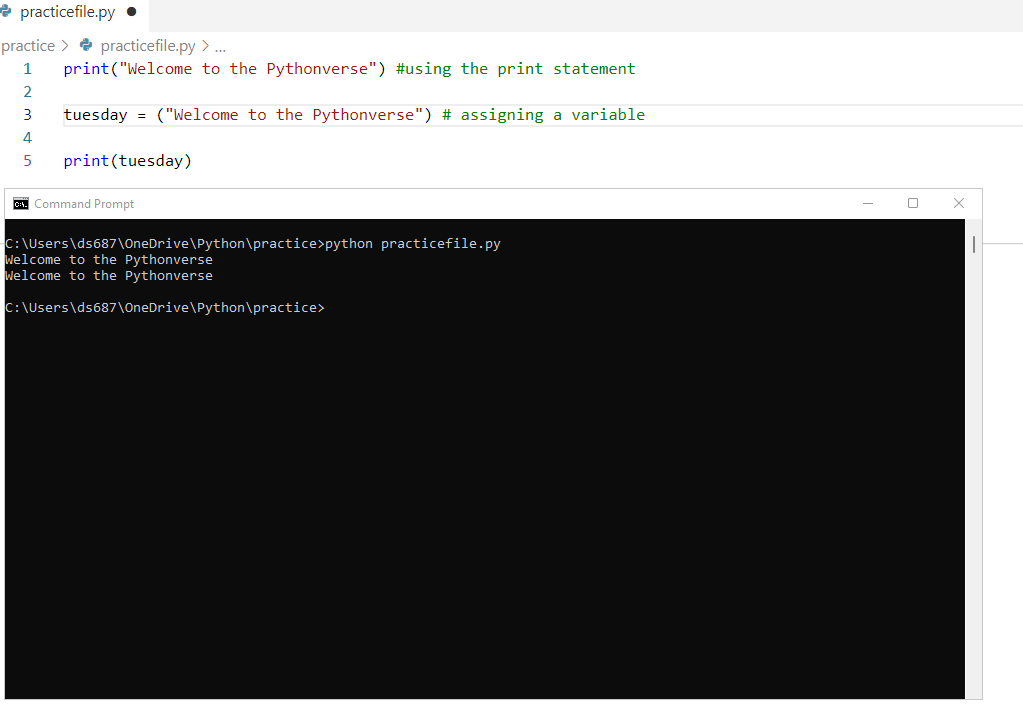
The difference in this picture is that the second statement I printed "Welcome to the Pythonverse", I stored it first in a container called tuesday, and then I called on that variable using the print(tuesday) function and........
I think variables are pretty cool and as you advance in your coding career, you'll learn different ways to manipulate them - who doesn't like to be manipulated? LOL
Booleans - True or False?
In the coding world, you'll need to know at times if an expression is True or False; this can be accomplished using Booleans
Peep my screenshot:
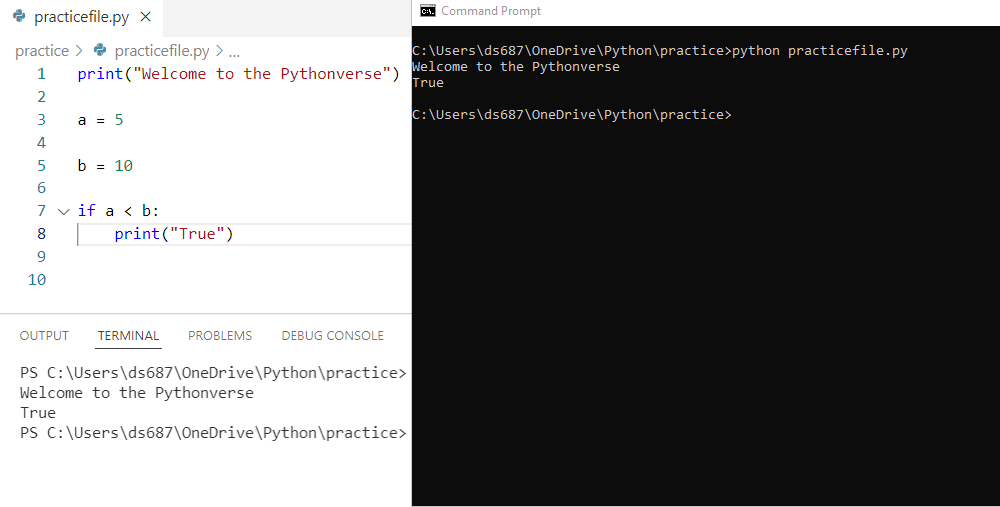
As you can see, 5 is NOT greater than 10, thus resulting in "True".
And if you thought 5 WAS greater than 10, then I'd like to know what multiverse you're living in.
Operators - performing [arithmetic] operations on variables and values
A list of arithmetic operators for your coding pleasure, time to do some basic math
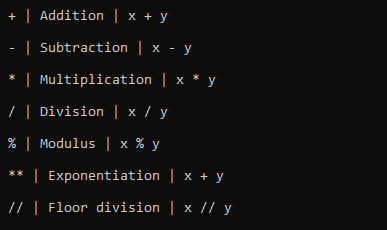
Besides arithmetic operators, there are also assignment operators, comparison operators, logical operators, identity operators, membership operators, and Bitwise operators - many of these will be covered in later posts when relevant. OPERATOR OVERLOAD ANYONE???
I think this is a good start for learning the basics of Python but remember this: consistency matters. That means going over all of these basics every day, 5 minutes or 15 minutes. Until it becomes muscle memory.
Nothing comes easy, I'm learning that myself as I study Python, and it's a part of the process.
If you've made it this far, I thank you for taking the time to read. Follow my coding journey and semi-boring life :)
Now go code! :)
Photo by Arif Riyanto on Unsplash


